
Globe SIM Registration for OFWs: Complete Step-by-Step Guide
Being an Overseas Filipino Worker (OFW) means staying connected with loved ones back home is not just important; it is essential. Your Philippine mobile number is your lifeline for family calls, GCash money transfers, banking OTPs, and more. That is why Globe SIM Registration for OFWs is one of the most critical tasks you need to complete today. Under Republic Act 11934, also known as the SIM Registration Act, every Globe SIM card in the Philippines, prepaid or postpaid, must be registered, or it will be permanently deactivated. The good news is that you can complete this registration fully online, from any country in the world, without visiting a Globe store in person.
Does SIM Registration Apply to OFWs Living Abroad?
Yes, absolutely. Many OFWs mistakenly believe this law only applies to people physically present in the Philippines. This is not correct. If you have a Globe SIM purchased in the Philippines, even if you have been abroad for years, it must be registered to remain active.
The Philippine government and Globe Telecom have made this process accessible to Filipinos overseas. Registration is done entirely online through Globe’s official web portal or the GlobeOne mobile app, which works from any country with an internet connection.
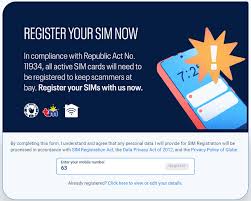
What Happens If You Don’t Register Your Globe SIM?
The consequences of not registering are serious and immediate. Here is a quick overview of what you stand to lose:
| What You Lose | Impact on OFWs |
|---|---|
| Active Globe SIM Number | Your Philippine number is permanently deactivated |
| GCash Access | Cannot send or receive money transfers to family |
| Bank OTPs | Locked out of Philippine bank accounts requiring SMS verification |
| Family Communication | Cannot receive calls/texts from home on your local number |
| Globe International Roaming | Roaming services linked to your SIM become unavailable |
| SIM-Linked Apps | Any app registered to your Globe number stops receiving codes |
Documents Required for Globe SIM Registration (OFW-Specific)
Before you start the registration process, gather all your documents to avoid interruptions. Here is what you need:
Valid Government-Issued ID — choose one of the following:
- Philippine Passport (most recommended for OFWs abroad)
- OWWA ID (Overseas Workers Welfare Administration ID)
- Philippine National ID (PhilSys Card)
- SSS ID or UMID Card
- Driver’s License (LTO-issued)
- PRC Professional ID
- Voter’s ID
- NBI Clearance
- GSIS e-Card
- BIR ID
Other items to prepare before you begin:
- Your active 10-digit Globe mobile number (e.g., 0917XXXXXXX)
- A clear digital photo of your valid ID (file must be under 2MB)
- A live selfie photo taken at the time of registration
- Your permanent Philippine home address
- A stable Wi-Fi internet connection
Pro Tip for OFWs: Use your Philippine Passport as your primary ID. It is universally accepted, recognized globally, contains your complete personal details, and is the easiest to photograph clearly from abroad.
Step-by-Step Guide: How to Register Your Globe SIM Online From Abroad
Follow these steps carefully to complete your registration without errors:
- Open your browser and go to: new.globe.com.ph/simreg
- Enter your 10-digit Globe mobile number in the field provided
- Check your phone for a 6-digit One-Time Password (OTP) sent via SMS — you must use it within 5 minutes
- Enter the OTP on the registration page to proceed
- Fill in your personal information accurately: full name, birthdate, gender, nationality, and Philippine address
- Select your valid ID type from the dropdown menu
- Upload a clear photo of your valid ID (under 2MB, JPG or PNG format)
- Take and upload a live selfie as instructed on the page (face the camera directly, no hats or sunglasses)
- Review all your information carefully before submitting
- Tick the checkbox to agree to the Terms and Conditions, then click Submit
- Save or screenshot your Reference Number as confirmation of successful submission
Method 2: Via the GlobeOne Mobile App
The GlobeOne app is the most convenient option for OFWs since it is available internationally on both Android and iOS:
- Download the GlobeOne App from the Google Play Store or Apple App Store
- Log in using your Globe number or create an account if you don’t have one
- From the home dashboard, tap on “SIM Registration”
- Follow the on-screen prompts: fill in personal details, upload your ID photo, and take a selfie
- Review your information and tap Submit
- Wait for a confirmation message — your registration is complete
OFW-Specific Tips and Challenges to Watch Out For
OFWs face unique challenges during registration that local subscribers do not. Here is a practical guide to the most common issues and how to solve them:
| Challenge | OFW Situation | Solution |
|---|---|---|
| OTP Expiry | OTP expires in 5 minutes; time zone differences cause delays | Have your phone charged and beside you before starting registration |
| Poor ID Photo Quality | Dim lighting or humid conditions in your host country blur the photo | Use natural daylight or a bright lamp; scan with a flat surface |
| Selfie Rejection | Glasses, face mask, or poor lighting causes mismatch | Remove accessories, face a well-lit background, look directly at the camera |
| Internet Instability | Mobile data drops mid-registration and loses your progress | Use a stable Wi-Fi connection throughout the entire process |
| Philippine Address Field | No current PH address since you live abroad | Enter your permanent family home address in the Philippines |
| Session Timeout | Long processing time causes the browser to expire | Use the GlobeOne app instead of browser for a more stable session |
| SIM Already Deactivated | Globe SIM deactivated before registration was completed | Contact Globe hotline +63 917 808 171 or ask family to visit a Globe Store with authorization letter |
How to Check If Your Globe SIM Is Already Registered
Not sure if your Globe SIM was already registered? Here are four quick ways to verify:
- Text “STATUS” to 8080 — Globe will reply with your registration status
- Log in to the GlobeOne App and check the SIM Registration section on your dashboard
- Visit new.globe.com.ph/simreg and enter your number — if already registered, the system will confirm it
- Call the Globe hotline at +63 917 808 171 (accessible internationally) and ask a representative to verify
What to Do If Registration Fails
Registration errors are common, especially for OFWs submitting from abroad. Do not panic — here is what to do for each error type:
- Rejected ID Photo: Re-upload a clearer, well-lit image of your ID. Ensure the ID is not expired and all text is readable
- Selfie Mismatch: Retake the selfie in better lighting, look directly at the camera, and ensure your face is unobstructed
- OTP Not Received: Check that your Globe SIM is currently active and receiving SMS. Try again during daytime Philippine hours
- Invalid Number Error: Confirm you are entering a 10-digit Globe number (starting with 0917, 0915, 0906, 0905, 0926, 0927, etc.)
- File Size Error: Compress your ID photo to under 2MB using a free online tool before uploading
- Session Expired: Switch to the GlobeOne App and restart the process from the beginning
- System Unavailable: Globe’s registration portal occasionally experiences high traffic. Try again at a non-peak hour
When to Escalate: If you cannot resolve the issue after three attempts, call Globe at +63 917 808 171 or email Globe support through their official website. As an OFW, you may also authorize a trusted family member in the Philippines to visit a Globe Store on your behalf with a signed, notarized authorization letter.
Special Cases OFWs Should Know About
| Situation | What You Need to Know |
|---|---|
| Registering Multiple SIMs | Each individual is allowed to register a maximum of five (5) SIM cards. Each SIM must be registered separately through the portal |
| Lost SIM While Abroad | Report immediately to Globe to deactivate the lost SIM. Arrange a SIM replacement through a family member or upon your return |
| Minor Children Using Globe SIM | A SIM used by a minor must be registered under a parent or legal guardian, with the minor’s personal details provided |
| Dual SIM Phones | Both SIM slots must be registered independently if both are Globe SIMs |
| SIM Bought as a Gift From the PH | The SIM must be registered under the name of the actual end-user, not the person who purchased it |
| OFW With Expired Philippine ID | Use your valid Philippine Passport instead. Passports are the most reliably accepted ID for OFW registrations |
Why Your Registered Globe SIM Is Essential as an OFW
Globe SIM Registration for OFWs is not just a legal requirement — it is the key to staying financially and emotionally connected with the Philippines while you work abroad. Here is why your registered SIM matters more than ever:
- GCash Remittances: Sending money to your family through GCash requires an active, registered Globe SIM — without it, your family loses access to your regular remittances
- Philippine Bank Access: Most Philippine banks send account OTPs and transaction alerts to your local mobile number — a deactivated SIM could lock you out of your own accounts
- Family Communication: Your Globe number is how your parents, children, and spouse call and text you — losing it disrupts everyday family contact
- International Roaming Services: Globe’s international roaming plans, which let you use your Philippine SIM abroad, are tied to your active, registered SIM
- Emergency Notifications: Government agencies like OWWA and POEA send advisories and emergency alerts to registered OFW mobile numbers
As an OFW, your Globe SIM is far more than a phone number. It is your connection to family, your access to finances, and your link to the Philippines. Globe SIM Registration for OFWs is a straightforward, free, and fully online process that takes less than 10 minutes to complete — yet the consequences of skipping it are severe and long-lasting.
Do not wait until your SIM gets deactivated and you lose access to GCash, banking services, and family contact. Take 10 minutes today, follow the steps in this guide, and secure your Philippine connection from wherever you are in the world.
Register now at: new.globe.com.ph/simreg or download the GlobeOne App from your app store. Share this guide with fellow OFWs who may not know about this important requirement.

- GlobeOne App Registration – Step-by-Step Guide to Register Easily - March 30, 2026
- Globe Customer Service & Hotline - March 30, 2026
- How to Balance Inquiry in Globe - March 30, 2026
