
LOST GLOBE SIM, REPLACEMENT & RE-REGISTRATION PROCESS
Losing your SIM card or using a damaged one can interrupt calls, text messages, mobile data, and important banking OTPs. Fortunately, Globe Telecom allows users to replace a lost SIM while keeping the same mobile number and complete re-registration when required.
Our guide explains:
-
How to replace a lost or damaged SIM
-
When re-registration is required
-
Where to visit for in-store assistance
-
Why Globe SIM Activation online protects your number
Replace Lost SIM With the Same Number
If your SIM card is lost, stolen, broken, or unreadable, Globe can issue a replacement SIM with the same number. This ensures uninterrupted access to calls, messages, banking apps, and online accounts.
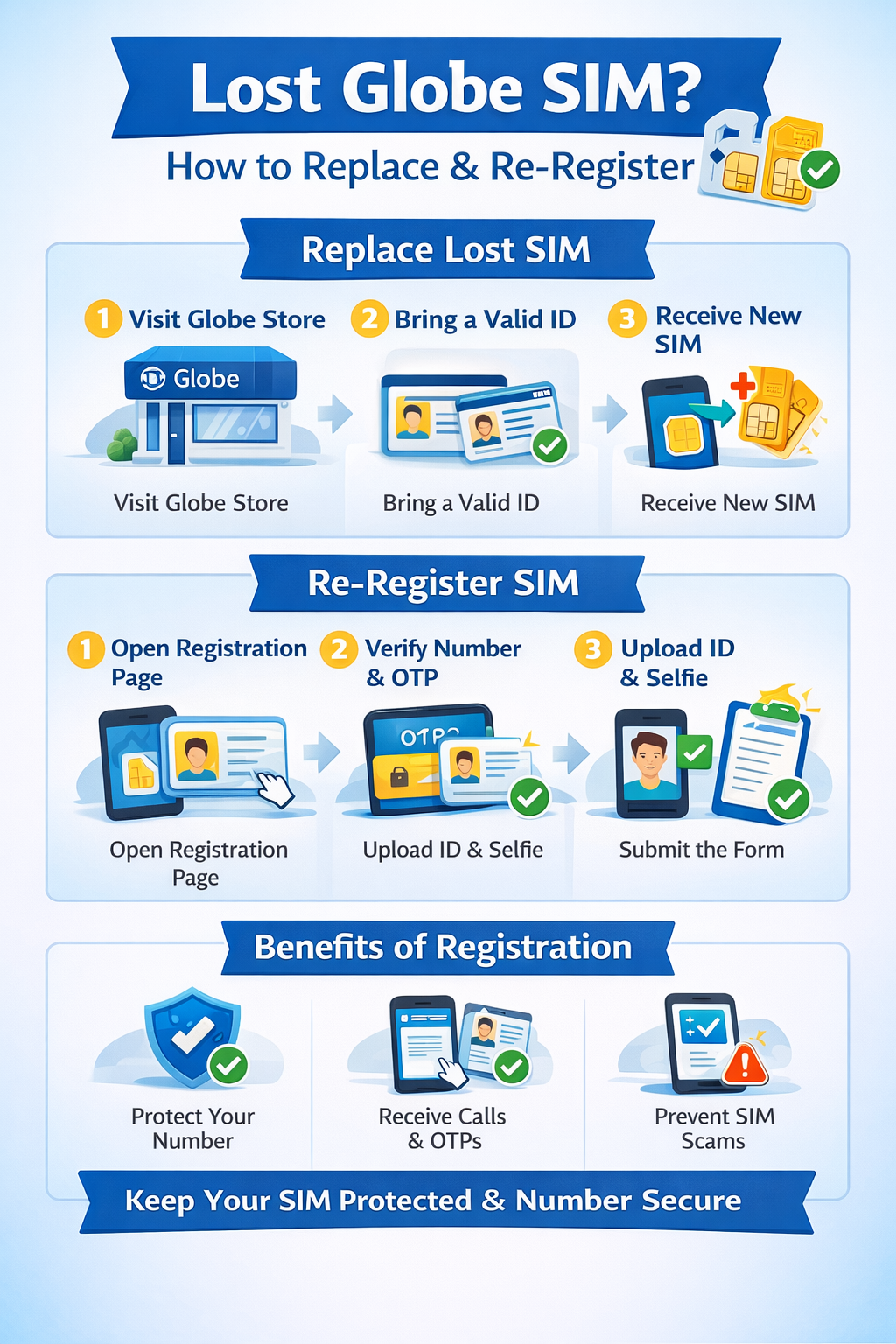
Step-by-Step SIM Replacement Process
-
Visit your nearest Globe Store
-
Inform the staff that you want to replace your SIM with the same number
-
Present a valid government-issued ID for identity verification
-
Provide details related to your previous SIM registration
-
Receive a new SIM card linked to your old number
-
Insert the new SIM into your phone
-
Wait a few minutes for activation
Once activated, your old number will continue working normally.
When Re-Registration Is Required
Re-registration may be required in the following situations:
-
Registration details were incorrect
-
ID or selfie was rejected
-
Information did not match the uploaded ID
-
Registration was incomplete or pending
As long as your number is still active, re-registration can be done at any time.
How to Re-Register Your SIM
-
Open the official SIM registration page
-
Enter your mobile number and verify it using OTP
-
Correct any incorrect personal details
-
Upload a clear and valid ID photo
-
Take a new selfie with proper lighting
-
Submit the form and save the new reference number
Always keep the reference number for future support or verification.
Where to Visit for Assistance (Globe Store Appointment)
If online registration or re-registration fails, visiting a Globe Store is recommended.
How to Book a Globe Store Appointment
-
Open the GlobeOne app or the Globe appointment website
-
Select your preferred store location
-
Choose SIM replacement or registration assistance
-
Pick a convenient date and time
-
Bring a valid photo ID to your appointment
Store staff will manually verify your identity and resolve issues that cannot be fixed online.
Benefits of Registering Your Globe SIM
Registering your SIM keeps your number secure, active, and fully functional. It also helps prevent:
-
Unauthorized SIM use
-
SIM cloning
-
Scam and fraud attempts
SIM registration ensures continued access to:
-
Calls, texts, and mobile data
-
Banking OTPs and digital wallets
-
App-based services and rewards
Registered users may also access exclusive Globe promotions and prepaid offers. Compliance with RA 11934 ensures your number remains protected from deactivation.
Final Note
Replacing a lost SIM and completing re-registration protects your mobile identity and ensures uninterrupted connectivity. Keeping your SIM properly registered helps secure your personal data and unlocks full access to Globe services without disruption.

