SIM Registration in the Philippines: Globe, Smart and DITO Compared
Last checked: October 27, 2026, against Globe’s official SIM registration pages. Independent guide, not affiliated with Globe Telecom.
Quick answer: Every network registers its own SIMs. Globe and TM use new.globe.com.ph/simreg or the GlobeOne app. Smart and TNT use Smart’s registration portal at smart.com.ph/simreg. DITO uses dito.ph/sim-registration, and new DITO SIMs also receive a registration link by text. All of them are free and follow the same law.
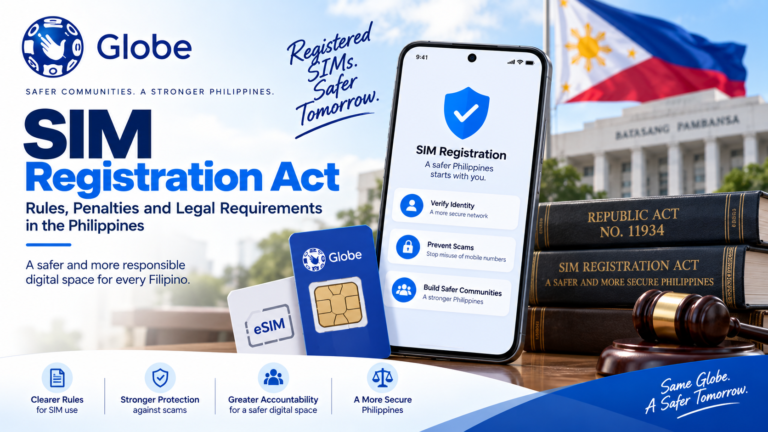
The SIM Registration Act (Republic Act No. 11934) applies to every network, so the requirements are similar. The portals are not interchangeable: a Globe SIM cannot be registered on Smart’s site, and the other way around. This site focuses on Globe; start with our Globe SIM registration guide.
Where each network registers SIMs
| Network | Brands | Where to register |
|---|---|---|
| Globe | Globe Prepaid, Postpaid, TM, Globe At Home | new.globe.com.ph/simreg (opens simreg.globe.com.ph) or the GlobeOne app |
| Smart | Smart, TNT | smart.com.ph/simreg or Smart’s app |
| DITO | DITO | dito.ph/sim-registration, or the link DITO texts to a new SIM |
For Smart and DITO, confirm the current address on the network’s own website before entering your details. Networks can change their portals.
What is the same on every network
- Registration is required by law before a SIM can be used
- Registration is free
- You give your full name, date of birth, gender and address
- You upload a valid government ID
- Minors are registered under a parent or guardian
- Foreigners register with a passport and extra documents
- Each SIM is registered separately, even if you own several
What can differ
- Accepted IDs. Each network publishes its own list. Globe’s is in our requirements guide.
- Identity check. Globe and DITO ask for a selfie. Check each network’s current form.
- Postpaid process. Globe Postpaid users confirm by text instead of using the portal; see our Globe postpaid guide.
Dual-SIM phones
If your phone holds a Globe SIM and a Smart or DITO SIM, register each one on its own network’s portal. Keep the SIM you are registering able to receive texts, because each network sends its OTP to that SIM.
Common mistakes when registering several SIMs
- Using the wrong portal. Check which network the SIM belongs to before you start. TM is Globe; TNT is Smart.
- Mixing up numbers. Enter the number of the SIM you are registering, not your main number.
- Using different spellings. Enter your name the same way on every network, exactly as it appears on your ID.
- Forgetting reference numbers. Save each network’s confirmation separately.
Checklist before registering on any network
- The SIM is inserted and can receive texts
- You know which network issued it
- One valid, unexpired government ID
- Good light for photos
- The network’s official address typed in yourself
Moving your number to Globe
If you switch to Globe through Mobile Number Portability, Globe says you must register the SIM again on its online portal, even if it was registered with your old network.
Staying safe on any network
Scammers copy every network’s registration page. Type the address yourself, never share your OTP, and never pay anyone to register. Our guide to spotting fake registration links applies to all networks.
Frequently asked questions
Can I register a TM SIM on the Smart website?
No. TM is a Globe brand. See our TM SIM registration guide.
Can I register a Smart or DITO SIM on this website?
No. This website does not register SIMs for any network. Use the network’s own portal.
Do foreign tourists register differently on each network?
The law applies to all networks, but each sets its own process. For Globe, see our foreigners and tourists guide.