
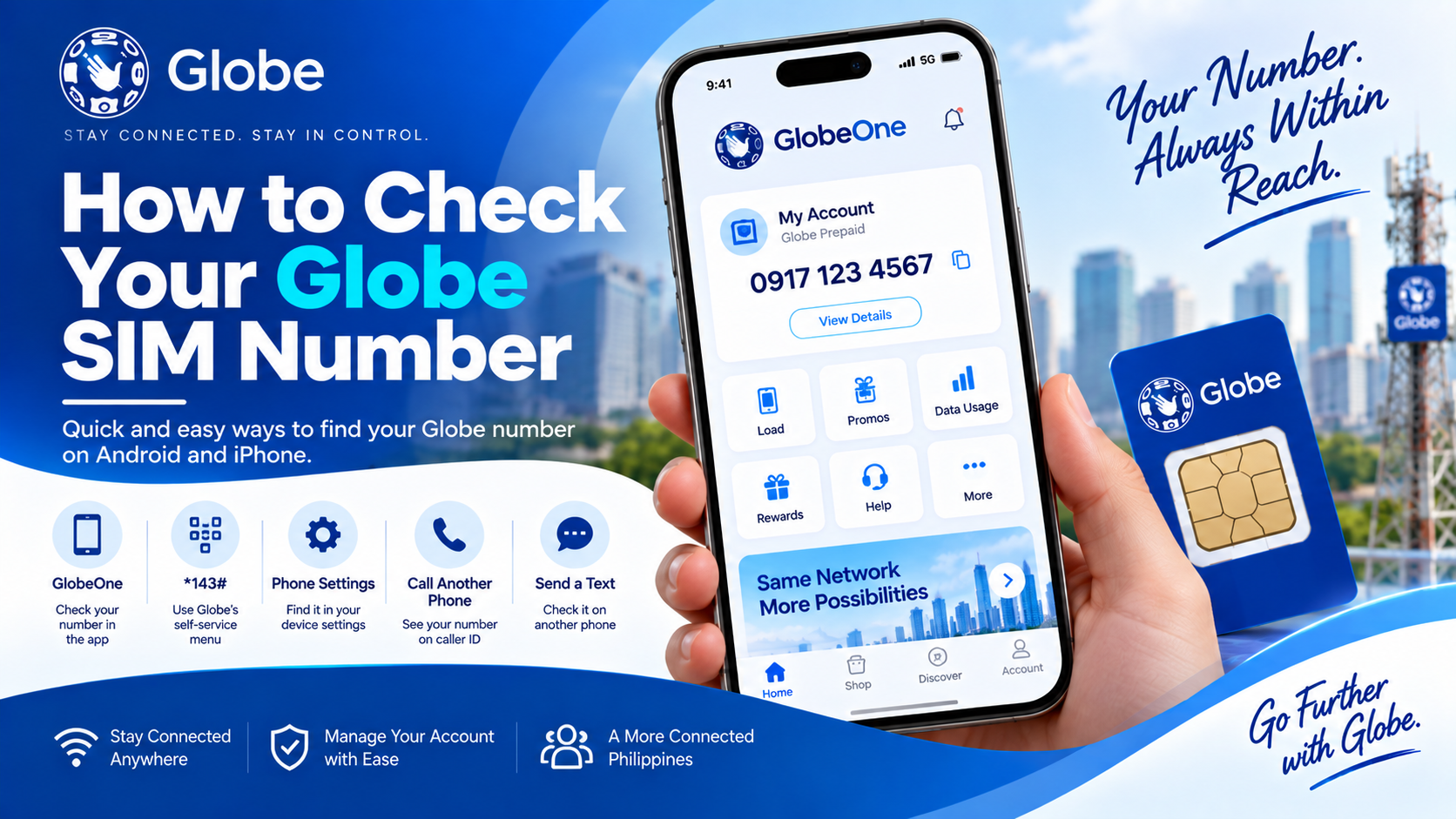
Forgot your Globe mobile number or recently inserted a new Globe SIM into your phone? You can find the number in several ways without removing the SIM. The easiest options are the *GlobeOne app, your phone’s SIM settings, 143# self-service menu, a call or text to another phone, and the original SIM packaging.
Your Globe number usually follows the Philippine mobile format 09XXXXXXXXX or the international format +639XXXXXXXXX.
Ways to Find Your Globe Mobile Number
| Method | Internet Needed | Best For |
|---|---|---|
| GlobeOne app | Yes | Viewing the number linked to your account |
| *143# | No | Checking through Globe’s self-service menu |
| Phone Settings | No | Finding the number stored by the device |
| Call another phone | No | Confirming the number from caller ID |
| Send an SMS | No | Checking the sender number |
| SIM packaging | No | Finding a newly purchased number |
The first three options are useful for users who want to check the number directly from their own device. A call or SMS can help confirm the number through another phone.
Check Your Globe Number Using GlobeOne
GlobeOne is one of the easiest ways to view a Globe mobile number linked to your account.
Globe’s current app displays the mobile number on the account card alongside account information and usage details.
Follow these steps:
- Open the GlobeOne app.
- Log in to your account.
- Look at your Account Card on the dashboard.
- Check the mobile number shown with your account details.
The GlobeOne account card can also provide access to usage, balance, and other account information.
This method works well for users who already have their Globe number linked to GlobeOne.
Check Your Globe Number Using *143#
The *143# self-service menu gives Globe subscribers access to several account services without requiring mobile data. Globe currently lists *143# as a free self-service channel for account and balance-related functions.
A number-checking option may appear under the account section, depending on the current USSD menu available to your line.
Try:
- Open the phone dialer.
- Enter *143#.
- Press the call button.
- Look through the available account options.
- Select the option related to your mobile number or account details.
USSD menus can change, so the exact menu labels may differ from older guides.
Check Your Globe Number in Phone Settings
Your phone may already display the mobile number assigned to the SIM.
The exact location varies by phone brand and software version.
Android Phones
Try this path:
Settings → About Phone → SIM Status
Some Android devices use:
Settings → About Phone → Phone Information → SIM Status
Look for entries such as:
- Phone number
- Mobile number
- SIM number
- SIM status
A dual-SIM phone may show separate information for SIM 1 and SIM 2.
The phone may show Unknown instead of the mobile number. This does not automatically mean the Globe SIM has a problem. Some phones simply do not receive or display the number stored by the network or Globe SIM profile.
Samsung Galaxy Phones
On many Samsung models, try:
Settings → About phone
Your phone number may appear alongside other device information.
Another route can be:
Settings → Connections → SIM manager
Select the Globe SIM and review the available SIM information.
Menu names can differ across Galaxy models and One UI versions.
iPhone
On an iPhone, try:
Settings → Phone → My Number
Newer iOS versions may also show the line under:
Settings → Cellular
Select the Globe line and check the available information.
A dual-SIM iPhone can show more than one cellular line, so check the Globe line rather than another number.
Call Another Phone to See Your Globe Number
A simple call can confirm your number.
Use your Globe SIM to call a nearby phone. The receiving phone may display your Globe number through caller ID.
For this method:
- Insert the Globe SIM into your phone.
- Make sure the line has network service.
- Call a family member, friend, or another phone you have access to.
- Check the number shown on the receiving device.
This method can also help confirm that the number shown in your phone settings matches the active Globe line.
Caller ID behavior can vary based on device settings and network features, so another method may provide a better confirmation.
Send a Text to Another Phone
Sending an SMS provides another simple way to identify your Globe number.
Send a message from the Globe SIM to another mobile phone. The recipient can open the message and check the sender number.
This works particularly well for:
- A newly purchased SIM
- A second SIM in a dual-SIM phone
- A number you have not memorized
- A Globe line missing from your phone’s settings
You need SMS service and sufficient balance or an applicable SMS allocation for this method.
Check the Original Globe SIM Packaging
The number may also appear on the SIM packaging or documentation supplied with the SIM.
Check:
- SIM card holder
- SIM packaging
- Purchase receipt
- Activation paperwork
- Account documents
Keep the original packaging in a safe place after purchasing a new SIM. It can also help with account-related support later.
The number printed on the packaging should match the active number assigned to the SIM. A replacement SIM or a SIM issued as part of an account change may have different packaging information.
Check Your Globe Number Through a Saved Contact
Some users save their own mobile number in their phone contacts.
Open your Contacts app and search for entries such as:
- My Number
- My Globe
- My Mobile
- Own Number
This method only works when you previously saved the number, so it should not be your main method for finding an unfamiliar Globe SIM number.
How to Check a Globe eSIM Number
A Globe eSIM works differently from a physical SIM because there is no removable SIM card to inspect.
You can check the assigned line through your phone’s cellular settings or GlobeOne.
For iPhone:
- Open Settings.
- Tap Cellular.
- Select the Globe eSIM line.
- Review the line information.
For Android:
- Open Settings.
- Go to SIMs, SIM Manager, or Mobile Network.
- Select the Globe eSIM.
- Review the displayed line information.
Globe’s eSIM guidance also directs users to manage the eSIM through the device’s native cellular or SIM settings.
What If Your Globe Number Shows as Unknown?
A phone may display Unknown under the SIM information even though the Globe line works normally.
This can happen because the phone does not have the mobile number stored in the SIM profile or cannot retrieve it correctly.
Try these options:
- Open GlobeOne and check your account card.
- Dial *143#.
- Call another phone.
- Send an SMS to another phone.
- Check your original SIM packaging.
- Restart the phone.
- Remove and reinsert a physical SIM.
- Check the Globe line under Cellular or SIM settings.
Globe’s own troubleshooting guidance recommends restarting the phone and removing/reinserting the SIM for certain network issues.
A number showing as Unknown in Settings alone does not prove that the Globe line has been deactivated.
How to Check Your Globe Number on a Dual-SIM Phone
Dual-SIM phones can make number identification slightly confusing because two cellular lines may appear in the settings.
First, identify the Globe line.
On Android, open:
Settings → SIM Manager
On iPhone, open:
Settings → Cellular
Look for the line labeled Globe or the custom label assigned to your Globe SIM.
You can then:
- Turn the other SIM off temporarily.
- Make a call using the Globe line.
- Send an SMS using the Globe line.
- Check the selected default voice or messaging line.
This helps prevent you from accidentally checking the number of your second SIM.
How to Tell Which Number Belongs to Your Globe SIM
A phone with two SIMs can show multiple numbers, so checking the active line matters.
Use this simple test:
| Check | What to Do |
|---|---|
| SIM settings | Select the Globe line |
| GlobeOne | Open the account linked to the number |
| Call | Call another phone using the Globe line |
| SMS | Send a message using the Globe line |
| Mobile data | Check which SIM provides Globe mobile data |
A call or SMS to another phone gives you a practical confirmation of the number currently used by the Globe line.
What Is the Philippine Globe Number Format?
Globe mobile numbers in the Philippines commonly use the local format:
09XXXXXXXXX
For international use, the leading 0 changes to the Philippine country code +63:
+639XXXXXXXXX
For example:
0917XXXXXXX
becomes:
+63917XXXXXXX
The exact prefix depends on the number assigned to the subscriber. Mobile number portability also means the original prefix alone cannot always identify the subscriber’s current network.
Globe Number vs SIM Serial Number
Your Globe mobile number and SIM serial number are different.
| Item | Meaning |
|---|---|
| Mobile number | Number used for calls, texts, OTPs, and mobile services |
| SIM serial number | Identification number assigned to the SIM card |
| ICCID | Technical identifier associated with the SIM |
| IMEI | Identifier for the mobile device |
| eSIM profile | Digital SIM profile installed on a compatible device |
For loading, calling, texting, account access, or giving someone your contact number, you normally need the mobile number, not the ICCID or IMEI.
Can *#06# Show Your Globe Mobile Number?
No. *#06# normally displays your device’s IMEI, not your Globe mobile number.
The IMEI identifies the handset, while the mobile number identifies the cellular line.
For example:
- IMEI: identifies your phone
- Globe mobile number: identifies your cellular line
- ICCID: identifies the SIM or eSIM profile
Do not confuse these numbers during account support or device troubleshooting.
Why You May Need Your Globe SIM Number
Your mobile number can be required for many everyday services.
You may need it to:
- Buy Globe load
- Register a data promo
- Add the line to GlobeOne
- Receive OTPs
- Give your number to a contact
- Link mobile services
- Manage account services
- Receive calls and SMS
- Complete account-related transactions
GlobeOne uses a mobile number for account creation and sends an OTP to that number during the setup process.
What to Do After Finding Your Globe Number
Once you have found the number, save it somewhere reliable.
Useful options include:
- Save it under your own contact.
- Add it to a password manager’s secure notes.
- Keep the number in your personal records.
- Add the line to GlobeOne.
- Write it down with the SIM packaging.
Saving the number can save time during future load purchases, account setup, or support requests.
FAQs:
How can I check my Globe SIM number?
You can check your Globe number through GlobeOne, your phone’s SIM or cellular settings, *143#, a call to another phone, an SMS to another phone, or the original SIM packaging.
How do I check my Globe number without balance?
Try GlobeOne or *143# first. A call or SMS requires the relevant service or balance. Globe currently provides *143# as a free self-service channel.
Can I check my Globe number without internet?
Yes. Use *143#, your phone’s SIM settings, a call, an SMS, or your original SIM packaging.
How do I check my Globe number on iPhone?
Go to Settings → Phone → My Number. You can also check the Globe line under Settings → Cellular.
How do I check my Globe number on Android?
Try Settings → About Phone → SIM Status. Samsung and other Android brands may use slightly different menu names.
Why does my Globe SIM show an unknown number?
Your phone may not have the mobile number stored in the SIM profile or may not retrieve it correctly. Check GlobeOne, use *143#, or call another phone to confirm the active number.
Can I check my Globe eSIM number?
Yes. Open the cellular or SIM settings on your phone and select the Globe eSIM. You can also check the line through GlobeOne. Globe provides eSIM management through compatible phone settings and GlobeOne.
Does *#06# show my Globe number?
No. *#06# displays the device IMEI. It does not normally display the Globe mobile number.
Can I check my Globe number through GlobeOne?
Yes. GlobeOne displays the mobile number on the account card linked to the account.
Can I find my Globe number from the SIM card?
The removable SIM itself may not show the mobile number. Check the original SIM packaging or account documents instead.
How do I check my Globe number on a dual-SIM phone?
Open the SIM Manager or Cellular settings, select the Globe line, then check the displayed number. A call or SMS to another phone can provide an additional confirmation.
Is my Globe SIM number the same as my IMEI?
No. Your Globe mobile number identifies the cellular line. The IMEI identifies the phone. The SIM’s ICCID is another separate identifier.
Final Takeaway
Finding a forgotten Globe SIM number does not require a complicated process. Start with GlobeOne or your phone’s SIM settings. The *143# self-service menu can also help, especially without mobile data. A call or SMS to another phone provides a simple way to confirm the active line.
For eSIM users, check the Globe line under your phone’s Cellular or SIM settings. For dual-SIM devices, select the Globe line before checking the number so you do not confuse it with your second mobile number.
Once you find the number, save it in your contacts or another secure location. That small step makes future Globe load, account, and support tasks much easier.

